How to Setup with Peak GUI
Preparation
For this tutorial, you’ll need to have already followed the following tutorials:
- Generate payout soft wallet
- Create MavPay configuration file
- Download MavBake (note: Installing node/baking services not necessary for this tutorial)
- Install ami-mavpay service
Following the guides above will ensure you have the necessary tools and configurations to proceed with this tutorial.
Installation
MavPeak GUI supports using MavBake and MavPay simultaneously or by themselves. To run them at the same time simply combine both configurations in the same file as shown here: https://github.com/mavryk-network/mavpeak
Scroll down to the bottom of the page for the full configuration example.
Download and install MavPeak via MavBake
mavbake setup --peak
You don’t need to install the MavBake node or baker services to use MavPay.
Setup MavPeak configuration
cd /mavpay/peak/ && touch config.hjson
Open the config.hjson file with your favorite text editor.
Sample MavPeak configuration
Here’s an example of a minimal MavPeak config.hjson file with just MavPay configured:
{
 listen: 0.0.0.0:8733
 app_root: /mavpay
 modules: {
     mavpay: {
         payout_wallet: mv1HPdQqiQXiTqe6BD52wbPe4mSsCwTqSFdS
     }
 }
}
Full MavPeak configuration examples
Here’s the MavPeak configuration with all available MavPay options:
{
 # Id to show in the header
 id: ""
 # Address to listen on
 listen: 127.0.0.1:8733
 app_root: /mavpay
 modules: {
     mavpay: {
 		# can be null to disable mavpay package monitoring
         applications: {
 			# path to mavpay ami package, either absolute or relative to parent directory peak
             mavpay: mavpay
         }
         payout_wallet: mv1HPdQqiQXiTqe6BD52wbPe4mSsCwTqSFdS
         payout_wallet_preferences: {
             balance_warning_threshold: 100
             balance_error_threshold: 50
         }
 		# forces all operations to be dry run
         force_dry_run: true
     }
 }

 # List of reference nodes to connect to
 # The reference nodes are used to get the rights and blocks if the baker's node is not available
 nodes: {
     "Mavryk Dynamics": {
         address: https://rpc.mavryk.network/
         is_rights_provider: true
         is_block_provider: false
     }
 }
 # The mode mavpeak should operate in
 # auto - if bound to localhost, it will operate in private mode if not, it will operate in public mode
 # public - assumes public environment, only readonly operations are allowed
 # private - assumes private environment, all operations are allowed
 mode: auto
}
Start MavPeak and connect to it
mavbake start --peak
If you’re connecting to the MavPeak GUI from a different computer, you’ll need to open a web browser and navigate to http://<your-baker-ip>:8733.
If you’re connecting from the same computer, you can use http://127.0.0.1:8733 or http://localhost:8733.
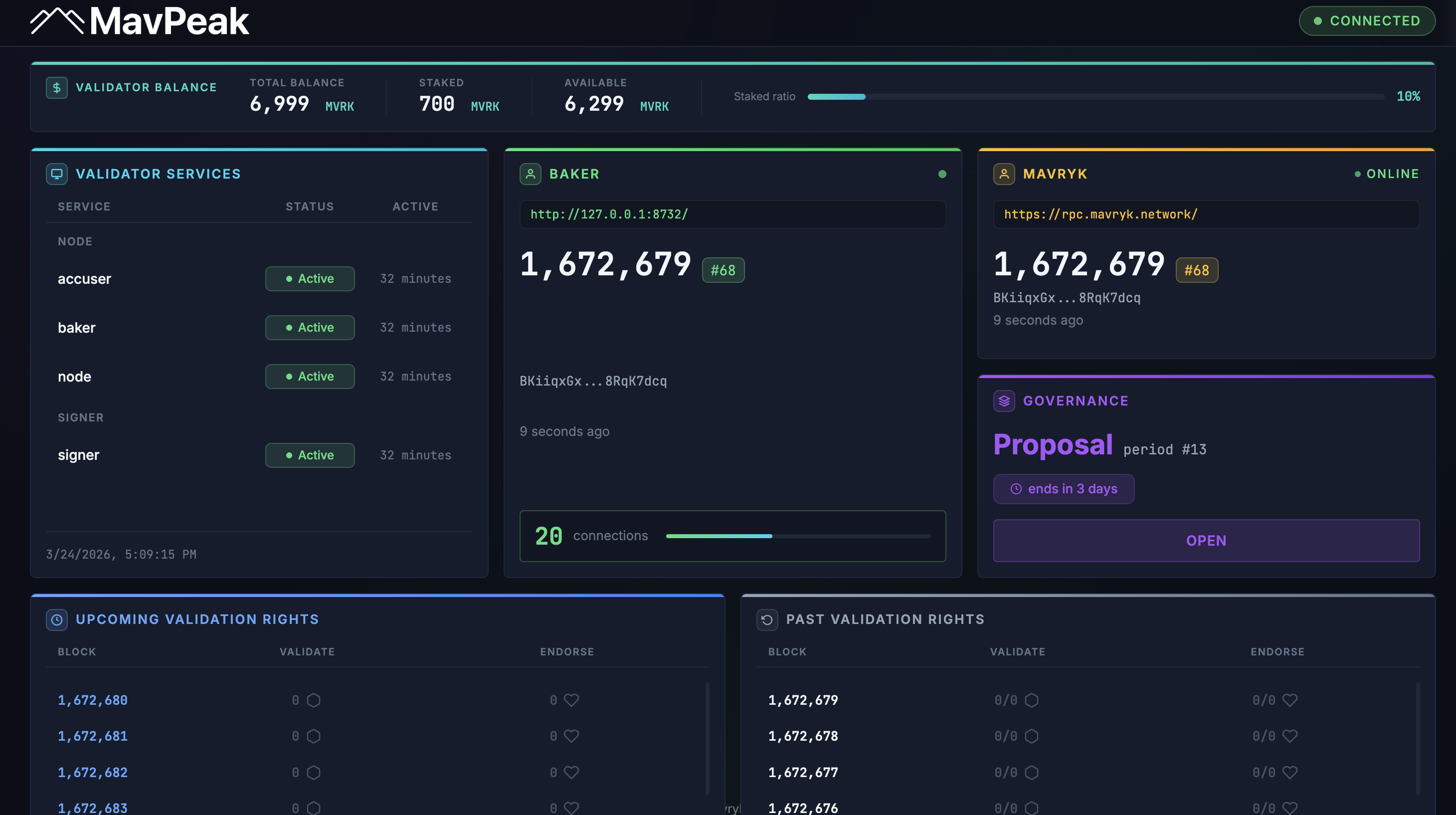
MavPeak example screenshot
Any questions/comments/concerns? Please contact the Mavryk Dynamics team on Telegram