How to Update
MavBake Updating
The MavBake software consists of four components:
- ami - App management engine: templating and orchestration - https://github.com/mavryk-network/ami
- eli - Lua Interpreter & Essential libraries for simple cross platform scripting - https://github.com/mavryk-network/eli
- mavbake - Command line interface for setting and monitoring your baker, using the help of the two tools above
- Mavkit binaries - Mavryk node binaries published by the Mavryk core developers - https://gitlab.com/mavryk-network/mavryk-protocol/-/releases
We regularly update all parts of the MavBake stack and the Mavryk core developers regularly publish new Mavkit versions and protocols. All mandatory updates and optional updates are posted across mav.Capital social media channels. Updates must be performed manually at this time, to ensure the Mavryk node operator is the only person able to control their baking operation.
Which MavBake upgrade method should I use?
We will sometimes specify which upgrade method to use by referencing its letter. If a letter recommendation is not specified, use the guidelines below to determine which method to use:
- (A) This upgrade method works in most cases. The only component not updated is the mavbake binary itself.
- (B) This upgrade method is used when you want to update the Mavkit binaries only. This is useful when old protocol binaries need to be removed from your baker.
- (C) This upgrade method is used when you want to update the entire MavBake stack. If you have the time, this is the recommended method as it makes sure you get the latest version of all components.
- (D) This upgrade method is used when you want to update the mavbake binary only. Sometimes we release new versions of mavbake that have fixes and new features to make your baker setup and operation easier. This upgrade method doesn’t take your baker down as the mavbake binary is not used during the baking process.
(A) Update ami & eli and Mavkit binaries
(updates components: #1, #2, #4)
mavbake upgrade -a
(B) Update Mavkit binaries only
(updates components: #4)
mavbake upgrade
(C) Update the entire MavBake stack
(updates components: #1, #2, #3, #4)
First update your mavbake binary to the latest version, depending on your computer architecture:
wget -q https://github.com/mavryk-network/mavbake/raw/main/install.sh -O /tmp/install.sh && sudo sh /tmp/install.sh
# you may be prompted for sudo password
Then update the rest of the MavBake software stack:
mavbake upgrade -a
(D) Update mavbake only
(updates components: #3)
Update your mavbake binary to the latest version, depending on your computer architecture:
wget -q https://github.com/mavryk-network/mavbake/raw/main/install.sh -O /tmp/install.sh && sudo sh /tmp/install.sh
# you may be prompted for sudo password
What should I do after updating?
After all updates and changes to your Mavryk node, always ensure your baking process continues successfully by monitoring its performance on https://nexus.mavryk.org.
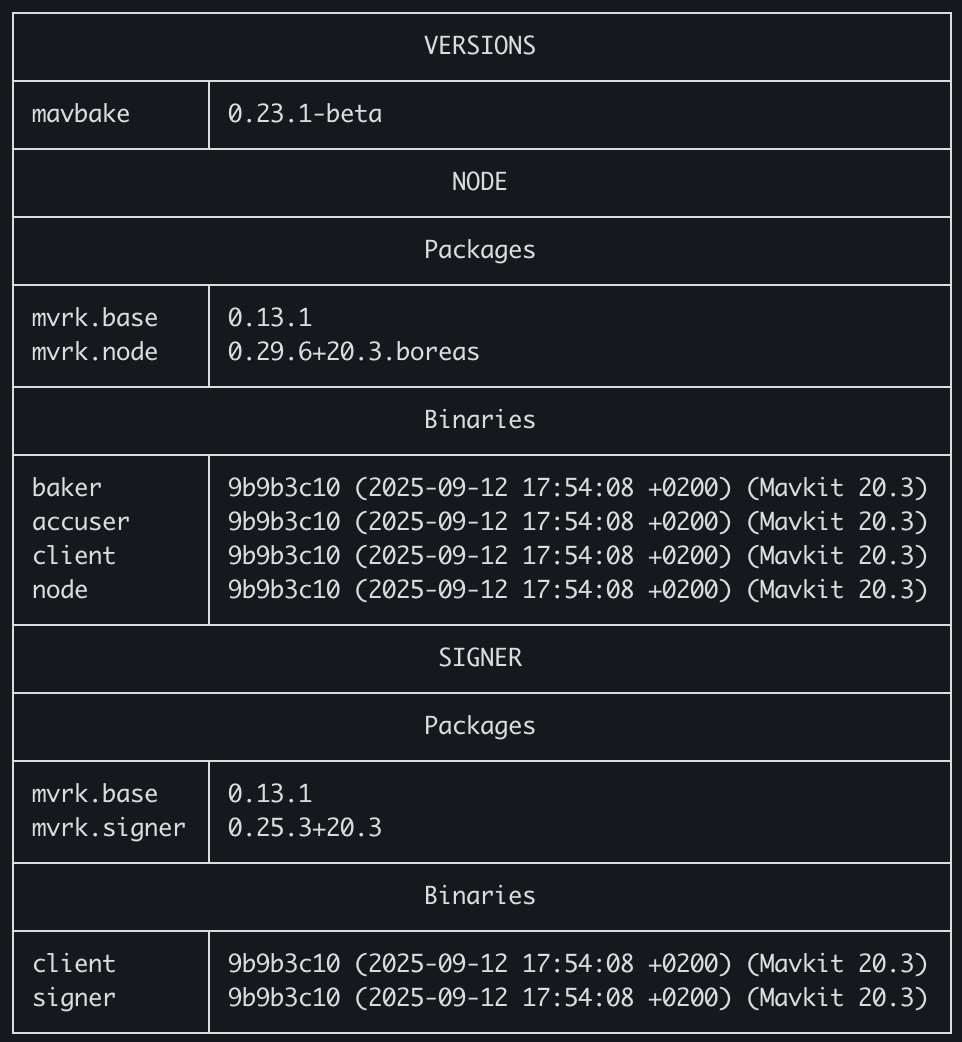
Check your MavBake stack versions to ensure they are up to date:
mavbake version --all
You should see the expected Mavkit version along with the release date of the binaries.
Any questions/comments/concerns? Please contact the Mavryk Dynamics team on Telegram