How to Bake with Peak GUI
Preparation
For this tutorial, you’ll need to have already followed one of the following tutorials:
The MavPeak GUI is a graphical user interface for MavBake, which is a command-line tool for baking and endorsing Mavryk blocks. It’s a great way to get started with baking and endorsing without having to use the command line on a day-to-day basis.
Please note that mavbake version 0.13.0-beta minimum is required to use MavPeak.
Installation
MavPeak GUI supports using MavBake and MavPay simultaneously or by themselves. To run them at the same time simply combine both configurations in the same file as shown here: https://github.com/mavryk-network/mavpeak
Download and install MavPeak via MavBake
mavbake setup --peak
Setup MavPeak configuration
cd /mavpay/peak/ && touch config.hjson
Open the config.hjson file with your favorite text editor.
If you’ve used json before but now hjson, you can read more about it here: https://hjson.github.io/
Sample MavPeak configuration with 1 baker
Here’s an example of a config.hjson file with minimal MavBake configuration for one baker:
{
 listen: 0.0.0.0:8733
 app_root: /mavpay
 modules: {
     mavbake: {
         bakers: [
             mv1VUJov75TUSewo2FcLbNLmzhVKMgenCv5o
         ]
     }
 }
}
You can also make MavPeak GUI only available on the local computer if you have an all-in-one setup (i.e. the baker and the GUI are on the same computer which has a graphical user interface):
{
 listen: 127.0.0.1:8733
 app_root: /mavpay
 modules: {
     mavbake: {
         bakers: [
             mv1VUJov75TUSewo2FcLbNLmzhVKMgenCv5o
         ]
     }
 }
}
Full MavPeak configuration examples
Here’s the MavPeak configuration with all MavBake available options:
{
 # Id to show in the header
 id: ""
 # Address to listen on
 listen: 127.0.0.1:8733
 app_root: /mavpay
 modules: {
     mavbake: {
 		# uncomment bellow to disable mavbake package monitoring
         # applications: null
         bakers: [
 			# list of bakers to monitor for balances and rights
             mv1V8ehdtNgruwRHLthqkh27hVA6r3SwXxno
         ]
     }
 # List of reference nodes to connect to
 # The reference nodes are used to get the rights and blocks if the baker's node is not available
 nodes: {
     "Mavryk Dynamics": {
         address: https://rpc.mavryk.network/
         is_rights_provider: true
         is_block_provider: false
     }
 }
 # The mode mavpeak should operate in
 # auto - if bound to localhost, it will operate in private mode if not, it will operate in public mode
 # public - assumes public environment, only readonly operations are allowed
 # private - assumes private environment, all operations are allowed
 mode: auto
}
Start MavPeak and connect to it
mavbake start --peak
If you’re connecting to the MavPeak GUI from a different computer, you’ll need to open a web browser and navigate to http://<your-baker-ip>:8733.
If you’re connecting from the same computer, you can use http://127.0.0.1:8733 or http://localhost:8733.
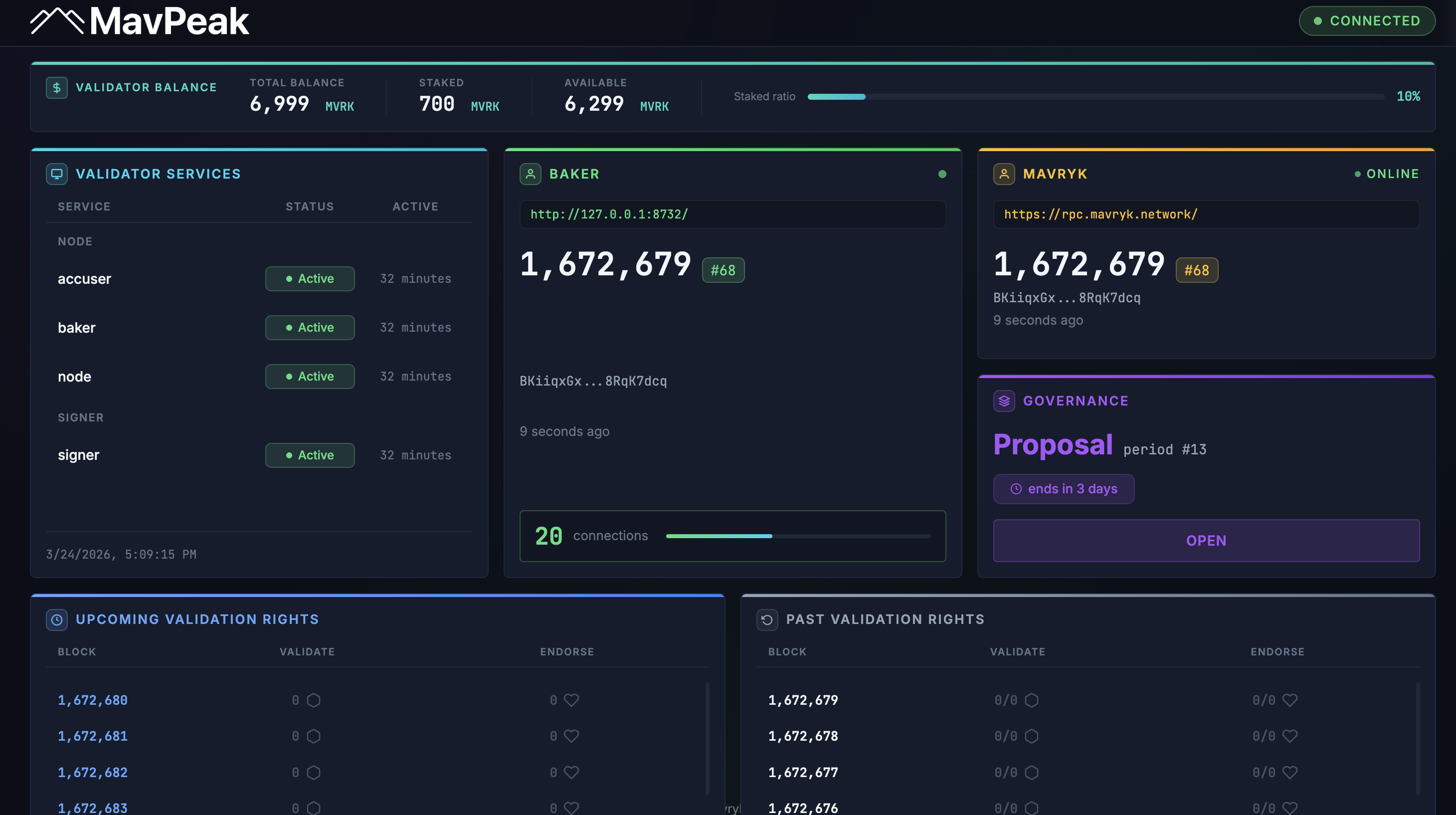
MavPeak example screenshot
Any questions/comments/concerns? Please contact the Mavryk Dynamics team on Telegram